Nova Music Official Documentation
Welcome to the official developer and buyer documentation portal for Nova Music. This comprehensive guide provides step-by-step instructions for non-technical buyers and Android developers to set up, customize, rebrand, monetize, build, and publish the Nova Music application on the Google Play Store.
What is Nova Music?
Nova Music is a flagship, production-ready Android offline music player and audio processing application engineered using modern native Kotlin and Jetpack Compose (Material Design 3). Built on clean MVVM architecture, Nova Music delivers ultra-low-latency playback, full offline media indexing, synchronized LRC lyrics auto-fetching, a 10-band DSP equalizer, dynamic color theme engine, multi-language localization (including Arabic RTL), and Google AdMob monetization.
What You Receive
Full Android Studio Kotlin DSL project source code, Jetpack Compose layouts, Room database implementation, Media3 ExoPlayer service, LrcLib lyrics API integration, AdMob ad managers, 8 dynamic theme presets, documentation portal, and pre-compiled release APK.
Designed For
Commercial publishing on the Google Play Store, white-label client projects, custom audio player releases, reselling on app marketplaces, and turnkey mobile application development.
Customization Scope
Easily rename the app title, change launcher icons, set unique package ID (payfopus.novamusic.app), adjust dynamic color palettes, configure AdMob unit IDs, edit terms/privacy legal pages, and add localized language translations.
Quick Start Guide (7 Steps to Launch)
Follow this streamlined workflow to get Nova Music running in Android Studio and ready for release:
Download and unzip the purchased project folder onto your local development machine.
Launch Android Studio (Ladybug 2026.1+ or newer) and select Open Existing Project pointing to the root workspace directory.
Allow Gradle (8.10+) to download dependencies and build project indexing automatically.
Verify package ID payfopus.novamusic.app in app/build.gradle.kts and inspect environment keys in .env.example.
Update application title in strings.xml, replace adaptive launcher icons, and paste your AdMob Publisher/Unit IDs in configuration files.
Connect a physical Android device or launch an Android Virtual Device (AVD) and click Run 'app'.
Navigate to Build > Generate Signed Bundle / APK to produce production binaries for the Google Play Store.
Choose Your Documentation Journey
Select the guide tailored specifically to your background and goal:
Non-Technical Buyer Path
Designed for app buyers, marketers, store managers, and publishers who want to rebrand, customize, monetize, and publish Nova Music with minimal coding.
- Rebrand application title & store presence
- Replace app launcher icons and artwork
- Set unique package ID (
payfopus.novamusic.app) - Customize dynamic theme palettes & languages
- Configure Google AdMob ad units & monetization
- Generate signed release APK / AAB for Google Play
Developer Path
Designed for Android Kotlin engineers who want to dive into the codebase, modify Jetpack Compose UI composables, adjust Media3 audio pipelines, and extend features.
- Explore clean MVVM codebase structure (
com.example.*) - Modify Jetpack Compose UI screens & components
- Understand Media3 ExoPlayer background playback service
- Inspect Room database DAOs & migration schemas
- Tune 10-Band Equalizer DSP audio processing pipeline
- Extend LrcLib REST API lyrics fetcher & parser
Application UI Screenshots
Explore real native Android Jetpack Compose interfaces rendered live in Nova Music v1.1.0:
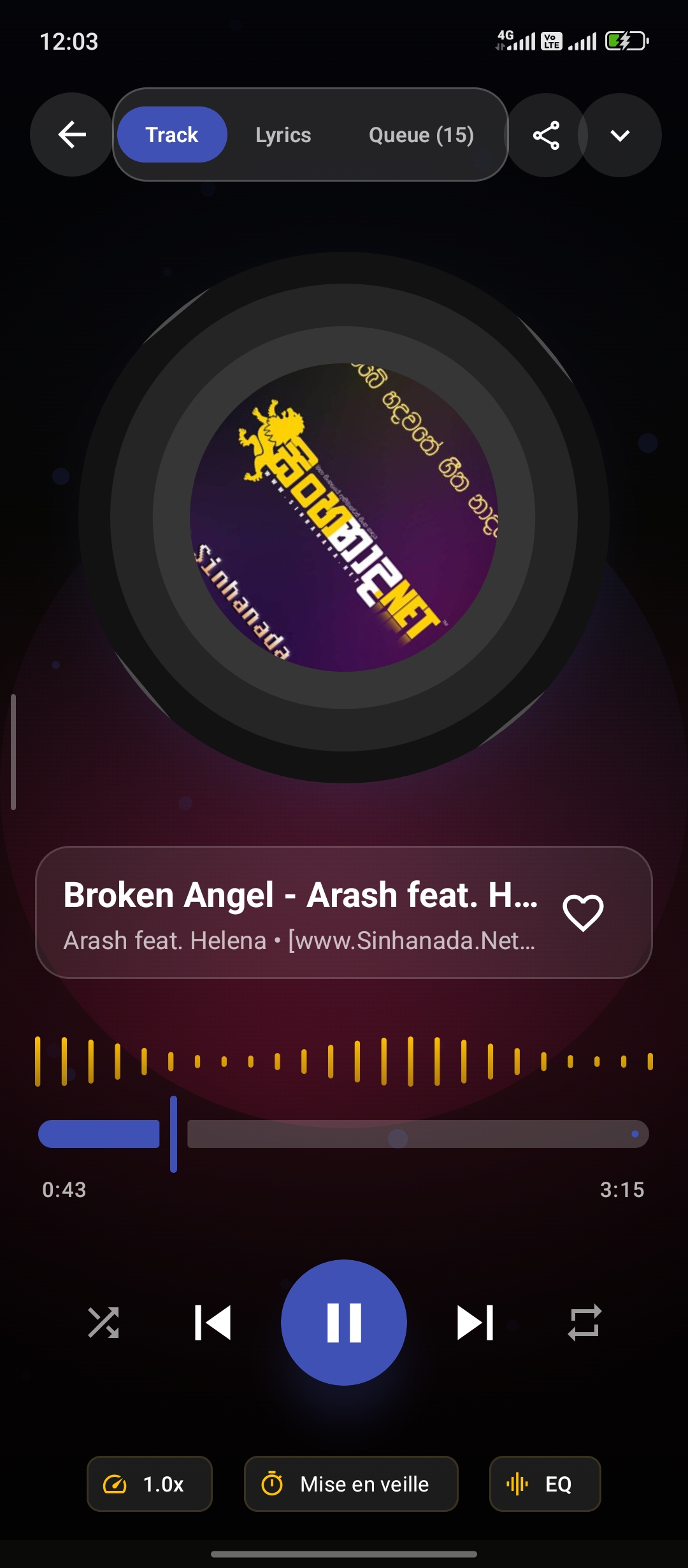
Now Playing

Music Library
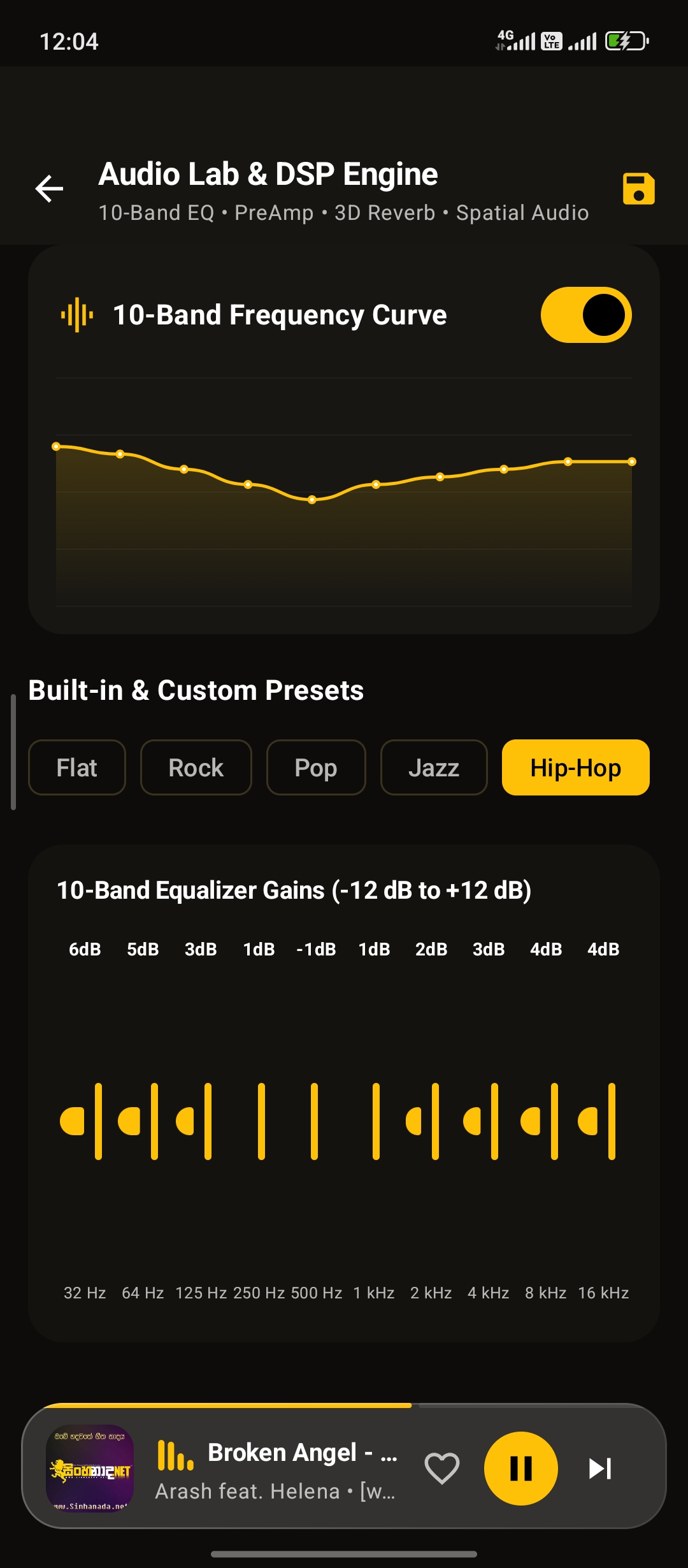
10-Band Equalizer
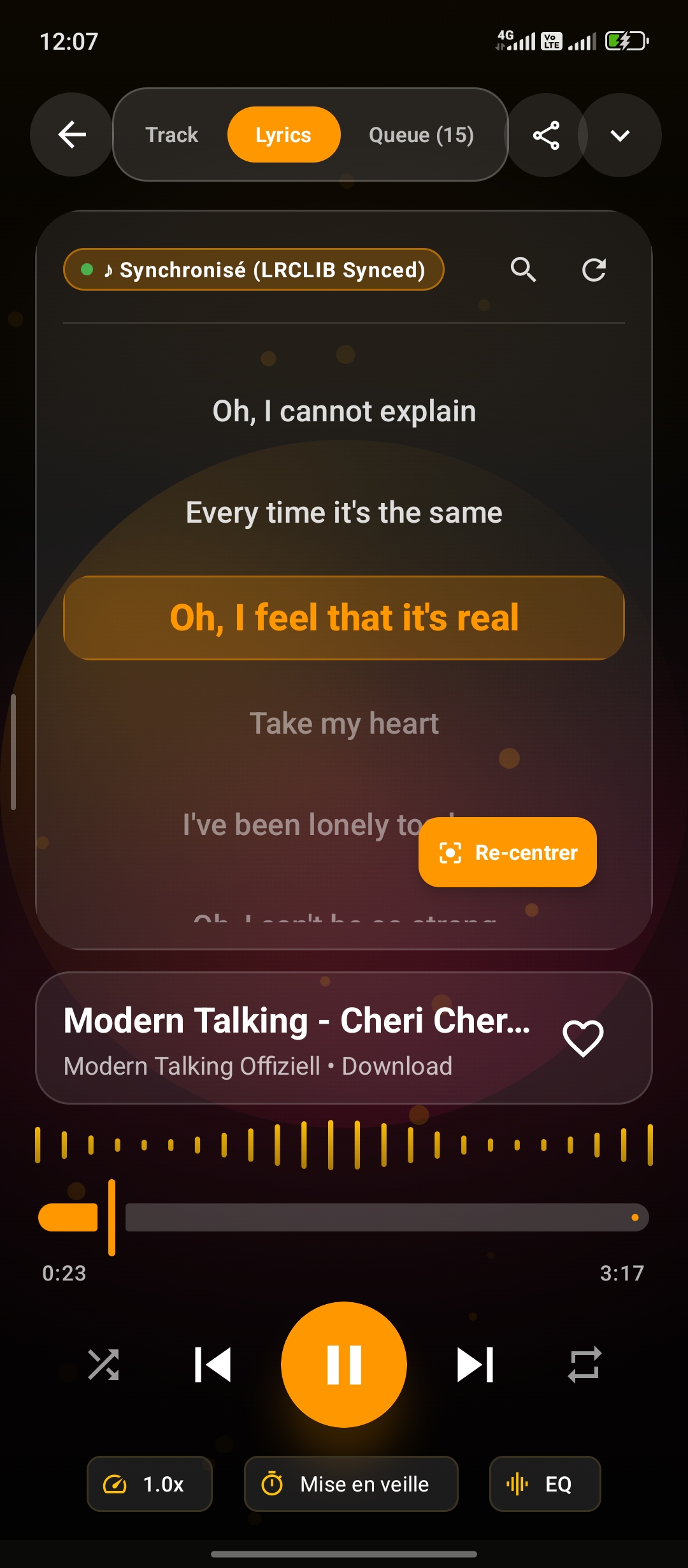
Karaoke Lyrics
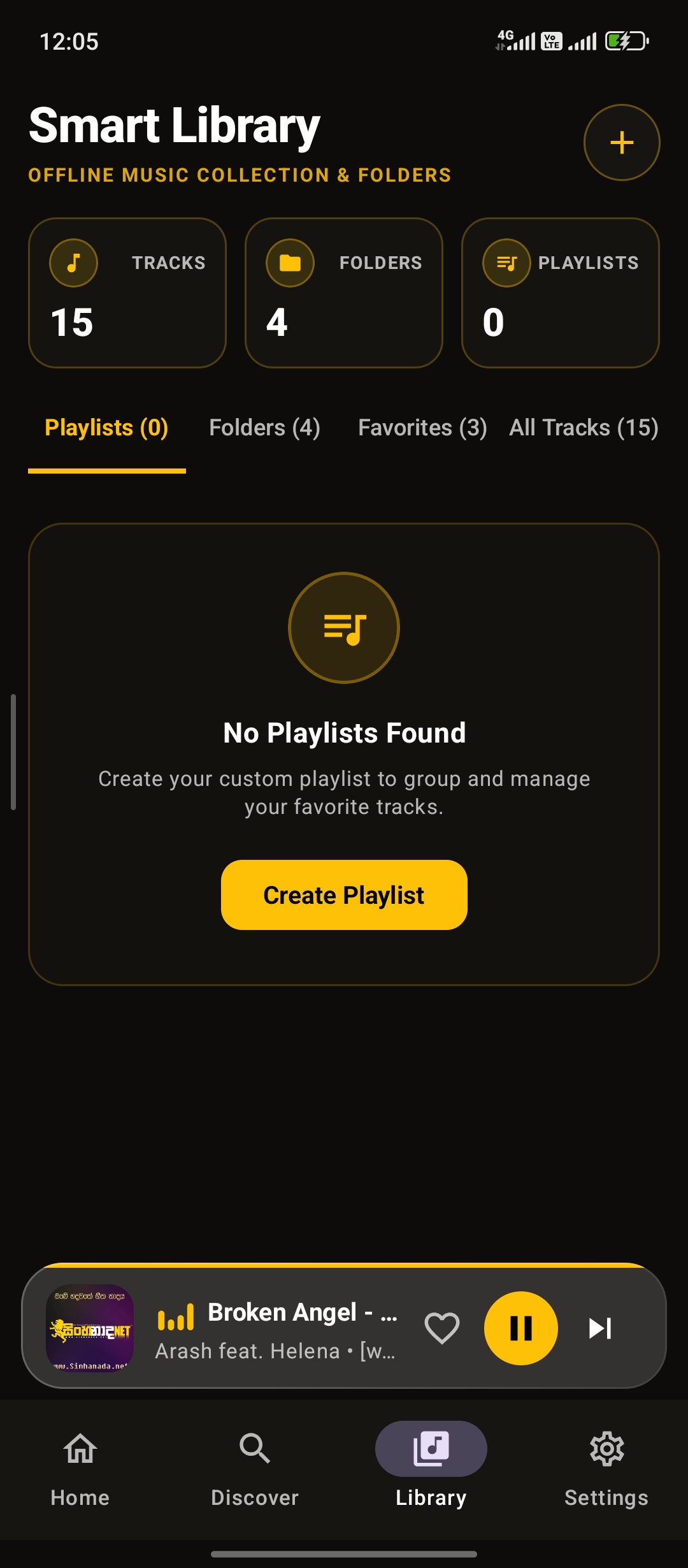
Playlists
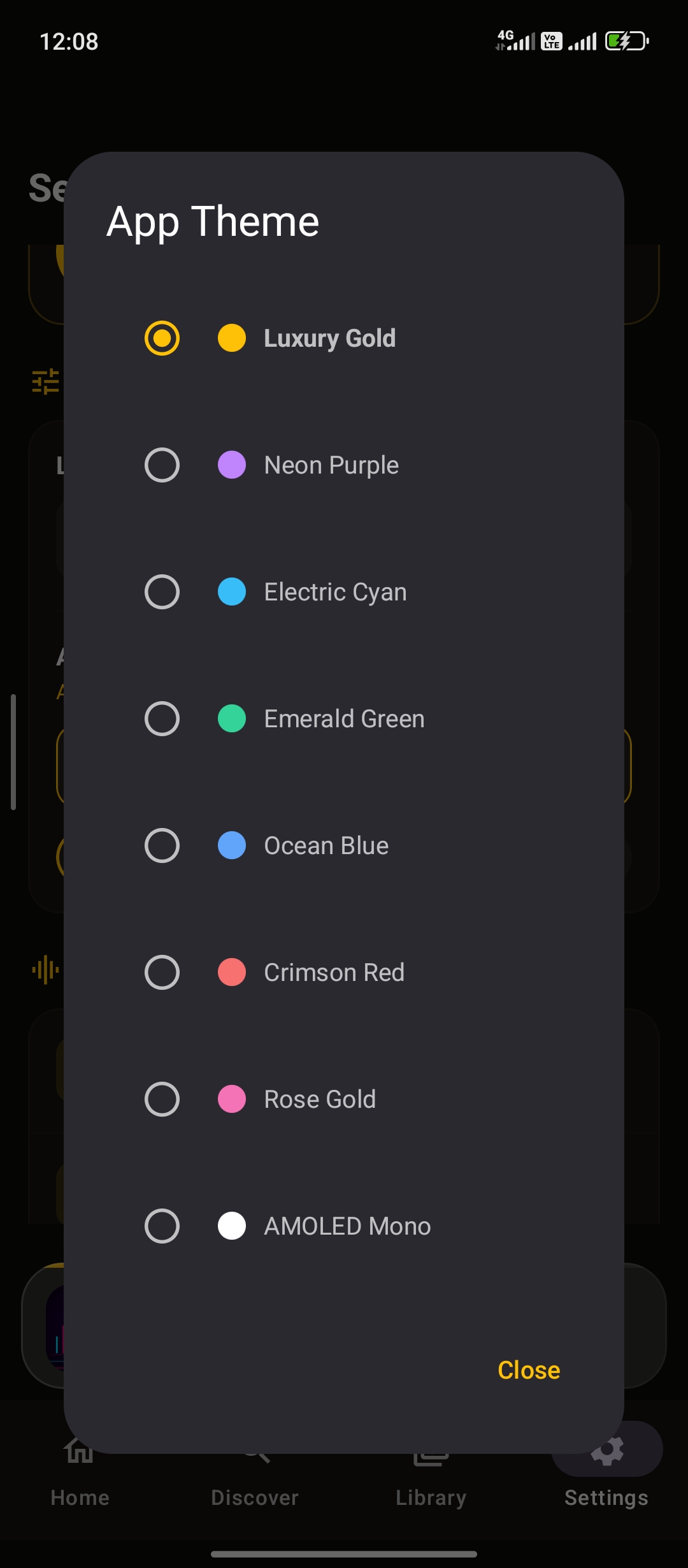
Dynamic Themes
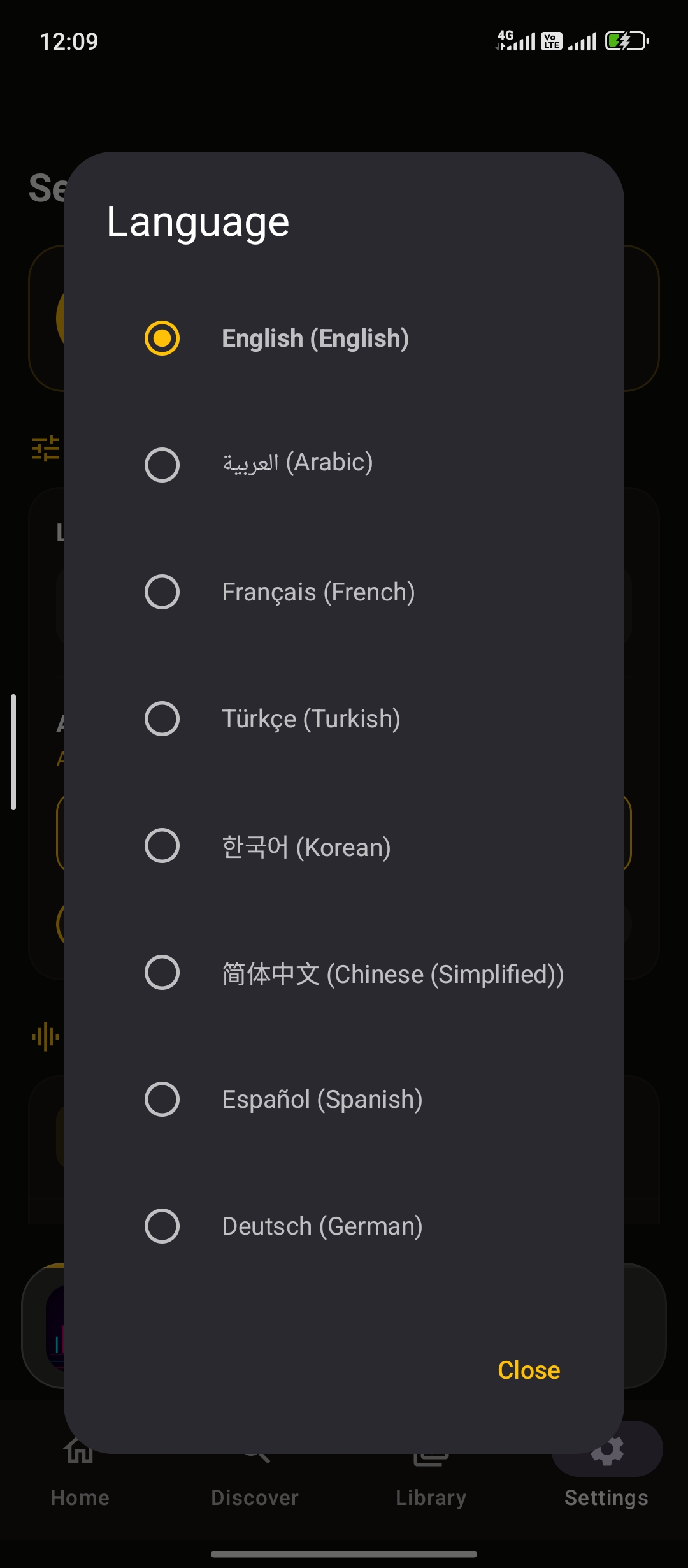
Languages & RTL
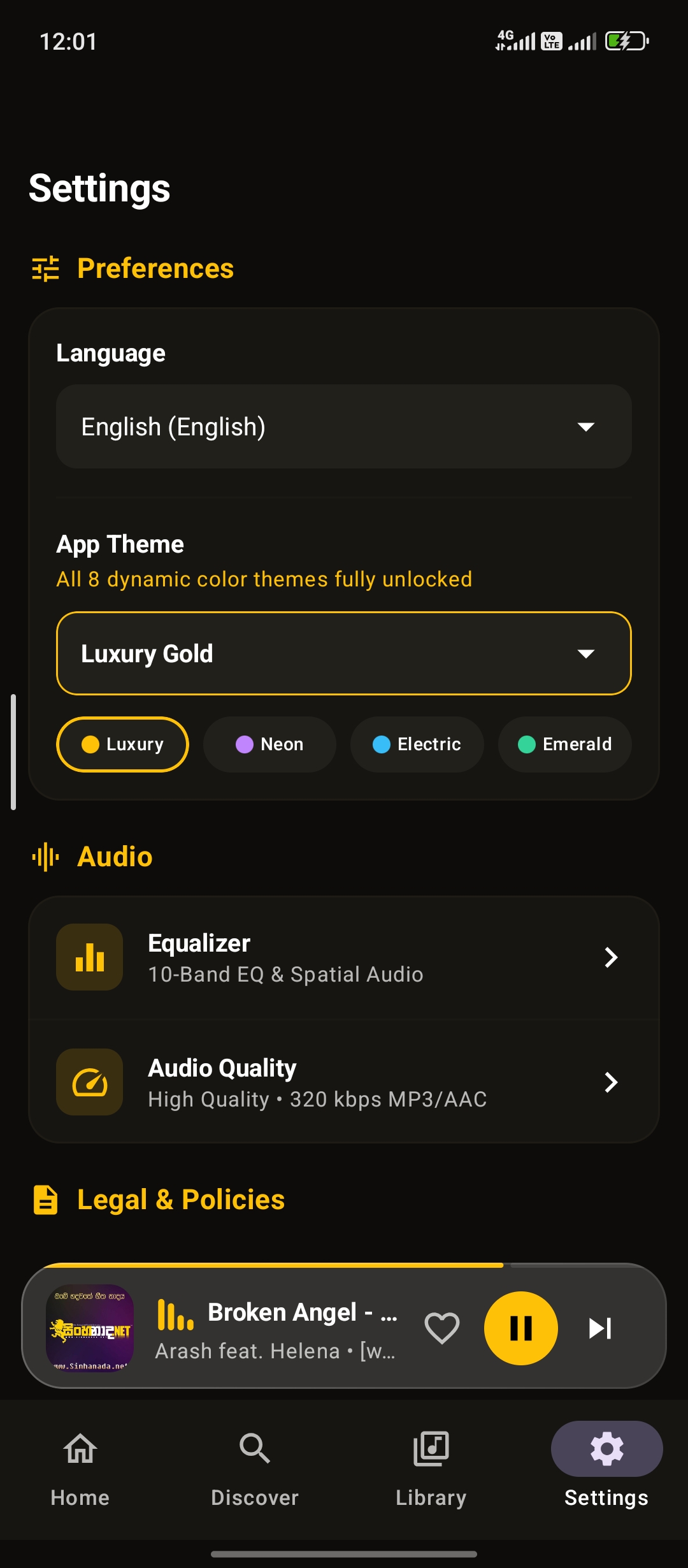
App Settings
System Architecture Overview
Nova Music follows Google's official recommended Android Clean MVVM architecture with unidirectional data flow:

Interaction Flow: UI Composables → ViewModels / StateFlow → Repository Layer → Room DB / Media3 ExoPlayer / LrcLib API / AdMob SDK
View Full Architectural Breakdown →Third-Party Services Notice
Third-Party Services Notice: Nova Music may use third-party services such as Google AdMob for advertising. These services are provided by external providers and may require separate configuration and/or accounts. Any third-party service costs, policies, API requirements, or account requirements are the responsibility of the buyer and are not included with the source code purchase.
Release History & Version Changelog
Detailed timeline of releases, optimizations, rebrand logs, and future technical roadmap:
Major release introducing brand alignment, dedicated application ID, audio engine optimizations, and documentation suite expansion.
- Official Rebranding: Application rebranded from Nova Musique to Nova Music across Android strings, manifests, themes, and developer portal.
- Dedicated Package ID: Application package ID standardized to
payfopus.novamusic.app. - Audio Engine Optimization: Refactored ExoPlayer audio buffer handling and reduced latency during song transitions.
- LrcLib Lyrics Integration: Improved User-Agent headers and added multi-step fallback parser for synchronized LRC lyrics.
- Memory & DSP Tuning: Optimized Room database queries and 10-Band EQ preset state retention across configuration changes.
- Production Build Assets: Generated optimized release APK
NovaMusic.apkwith complete keystore setup instructions.
Core architecture foundation built on Jetpack Compose, Room DB, and AndroidX Media3.
- Initial release featuring Material Design 3 UI and 8 dynamic color themes.
- Local storage media scanner supporting MP3, FLAC, M4A, and WAV audio indexing.
- Duplicate Audio Finder utility with hash and metadata comparison.
- Integrated AdMob monetization architecture for banner and interstitial ads.
- Cloud Backup & Restore: Local backup export/import for custom playlists and listening statistics.
- Custom Sleep Timer Fade-Out: Gradual audio volume attenuation when sleep timer expires.
- Enhanced Tag Editor: Embedded ID3v2 tag editor with cover artwork downloader.
- Android Auto Support: Extended Media3 session integration for car displays.